
My Aadhaar &
e-Aadhaar Download Portal
India’s trusted guide for UIDAI services. Download Aadhaar Card, Check Status, Update Mobile Number, Link PAN, and Perform FSC Search easily.
Access Services ⬇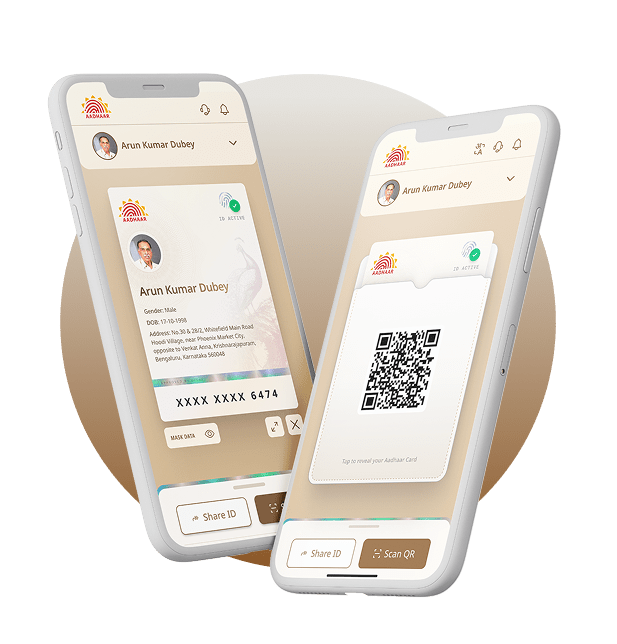
Aadhaar Online Services
Why Use My e-Aadhaar Portal?
We provide the fastest and most secure way to access UIDAI Aadhaar Services. Whether you need an e-Aadhaar Download or want to check your PAN Link Status, we simplify government processes for you.
Official UIDAI Links
Direct access to uidai.gov.in services. We ensure you land on the correct government page for Aadhaar Update and status checks.
100% Secure & Safe
Your data privacy is our priority. All tutorials for My Aadhaar Login and retrieval follow strict safety protocols with zero data storage.
Fast & User Friendly
No confusing menus! Get straight to FSC Search, Jan Aadhaar, or SSO Login with our simplified navigation and guides.
Mobile Optimized
Access your Aadhaar Card details on any device. Our portal is optimized for smartphones, tablets, and desktops for a seamless experience.
1. Understanding My Aadhaar & UIDAI Services
In the digital age of 2026, the Aadhaar Card has become the single most important document for every Indian resident. Managed by the Unique Identification Authority of India (UIDAI), the 12-digit random number serves as a proof of identity and address across the nation. The government has launched the My Aadhaar portal (myaadhaar.uidai.gov.in) to provide citizens with seamless online services.
Whether you need to perform an Aadhaar Card Download, update your demographic details, or lock your biometrics for security, the uidai.gov.in Aadhaar ecosystem allows you to do it from the comfort of your home. This guide covers every aspect of managing your digital identity securely.
2. How to Download e-Aadhaar PDF? (Complete Guide)
The electronic version of your Aadhaar, known as e-Aadhaar, is as valid as the physical letter received by post. If you have lost your card or need a copy urgently for KYC, you can perform an e Aadhaar Download within minutes.
Method A: Download by Aadhaar Number
This is the most common method. Visit the official portal, select “Download Aadhaar”, and enter your 12-digit UID. You will receive an OTP on your registered mobile number. Once verified, the PDF will be downloaded.
Method B: Download by Enrolment ID (EID)
If you have just applied for a new card, you won’t have a UID yet. In this case, use the 28-digit Enrolment ID printed on your acknowledgment slip.
Important Tip: When entering EID, type the 14-digit enrolment number normally, but the 14-digit date/time must be entered in Reverse Order (Year-Month-Day Hour:Minute:Second).
| Feature | Regular Aadhaar | Masked Aadhaar |
|---|---|---|
| Visibility | Full 12 Digits Visible | Only last 4 digits (XXXX-XXXX-1234) |
| Security | Standard | High (Recommended for sharing) |
| Password | First 4 Letters of Name (CAPS) + Birth Year | Same Password Logic |
3. Checking Aadhaar Card Status Online
After applying for an update, the waiting period can be anxious. The Aadhaar Status tracking tool allows you to see exactly where your application stands. You will need your EID or URN (Update Request Number).
Common Status Messages:
• In Process: Your application is being verified by the backend team.
• Generated: Success! You can now proceed to Aadhaar Download.
• Rejected: Your application failed due to incorrect documents or biometric mismatch. You must re-apply.
4. PAN Aadhaar Link: The ₹1000 Penalty Guide
The Central Board of Direct Taxes (CBDT) has made it mandatory to link your Permanent Account Number (PAN) with Aadhaar. The free deadline has passed, and now a late fee of ₹1000 applies.
Consequences of Not Linking:
- Your PAN will become Inoperative.
- You cannot file Income Tax Returns (ITR).
- Pending tax refunds and interest will be stopped.
- TDS will be deducted at a higher rate (20%).
To perform the PAN Aadhaar Link, visit the Income Tax e-filing portal, pay the fee via Challan No./ITNS 280 (Major Head 0021, Minor Head 500), and submit the link request after 4-5 working days.
5. FSC Search with Aadhaar No (Ration Card Services)
One of the most useful but lesser-known services is the FSC Search with Aadhaar No. This feature connects your digital identity with the National Food Security Act (NFSA) database.
Why use FSC Search?
If you are a Ration Card holder, you can check if your name is active in the Ration list simply by entering your Aadhaar number. This eliminates the need to carry the physical ration booklet. Visit the official NFSA website (nfsa.gov.in) or your state’s Food Supply portal, select “Search by Aadhaar”, and view your entitlement details instantly.
6. Updating Aadhaar: Online vs Offline
Keeping your Aadhaar updated is crucial for OTP authentication. You can update different data fields depending on the mode of service.
✅ Address Update (Needs POA document)
✅ Document Update (Free till 14/06/2026)
❌ Name, DOB, Mobile, Biometrics (Cannot be done online)
To change your Mobile Number or Biometrics (Photo/Fingerprint), you MUST visit an Aadhaar Seva Kendra. No online method exists for these specific updates due to security reasons.
7. My Aadhaar Login Dashboard Features
The new My Aadhaar Login system is a dashboard that gives you a 360-degree view of your profile. By logging in with your Aadhaar Number and OTP, you can access:
- Profile View: See both sides of your Aadhaar card (Flip Aadhaar).
- Update History: Check all past update requests.
- Authentication History: See where your Aadhaar was used (OTP/Biometric) in the last 6 months.
- Bank Seeding Status: Check which bank account receives your DBT subsidies.
8. Extensive Frequently Asked Questions (FAQ)
Q1: Can I download Aadhaar if my mobile number is not linked?
No, you cannot perform an e Aadhaar Download online without a registered mobile number as OTP authentication is mandatory. You must order a PVC card or visit a center to print it.
Q2: What should I do if my Aadhaar is lost and I don’t know the number?
Use the “Retrieve EID/UID” service on our portal. Enter your full name and registered mobile number to receive the Aadhaar number via SMS.
Q3: Is the PAN Aadhaar Link fee refundable?
No, the ₹1000 penalty fee paid to the Income Tax Department is non-refundable. Ensure you verify your status before paying.
Q4: How long does it take to update the address online?
Typically, address update requests submitted via My Aadhaar Login are processed within 5 to 7 days, but the maximum time limit defined by UIDAI is 30 days.
— End of Ultimate Guide —
Important Resources & Support
- Aadhaar Enrollment/Update Form Download ⬇
- Self Declaration Form (For Address) Download ⬇
- Valid Documents List (POI/POA) View List ⬇
- Aadhaar PVC Card Request Form Apply Online ➔
Toll-Free Helpline
1947
Official Email Support
help@uidai.gov.in
Special Aadhaar Features
Order Aadhaar PVC Card
Get a durable, credit-card-sized Aadhaar delivered to your home. It comes with high-security features like a hologram and ghost image.
- Cost: Just ₹50 (Speed Post Included)
- Weatherproof & Durable
- Valid everywhere in India
mAadhaar App
Carry your Aadhaar in your smartphone. The official mAadhaar app allows you to share your details via QR code without carrying the physical card.
- Create Profile for whole family
- Show ID at Airports/Railways
- Time-based OTP (TOTP) feature
Secure Biometrics
Worried about misuse? You can temporarily Lock your Biometrics (Fingerprint & Iris) and unlock them only when you need to authenticate.
- Prevents unauthorized access
- Instant Unlock via App/Portal
- Higher security for banking
Did You Know?
Aadhaar is not a proof of citizenship. It is a proof of identity and residence for those who have stayed in India for 182 days or more in the preceding 12 months. Keep your documents updated every 10 years for continued benefits.
Documents Required for Aadhaar Card
Whether you are applying for a new Aadhaar or updating your existing details, providing valid Proof of Identity (POI) and Proof of Address (POA) is mandatory. Below is the complete UIDAI-approved list of documents for 2026.
- Passport
- PAN Card / e-PAN
- Voter ID / e-Voter ID
- Driving License
- Ration Card (with Photo)
- Bank ATM Card (with Photo)
- Government Employee ID Card
- Mark Sheet / Certificate (from Recog. Board)
- Disability ID Card (UDID)
- Jan Aadhaar Card (Rajasthan)
- Passport (Spouse/Self)
- Voter ID Card
- Ration Card
- Electricity Bill (Not older than 3 months)
- Water Bill (Not older than 3 months)
- Gas Connection Bill (3 months)
- Bank Passbook / Statement
- Post Office Passbook
- Property Tax Receipt (1 year)
- Rent Agreement (Registered)
- Birth Certificate (Issued by Registrar)
- Passport
- PAN Card
- Mark Sheet / SSC Certificate
- Pension Payment Order (PPO)
- Photo ID Card (Govt Issued with DOB)
- CGHS / ECHS Photo Card
- Self-Declaration (Only if no doc available)
If you do not have any valid Proof of Address (POA) in your name, you can still update your address using the Head of Family (HOF) mode.
Requirements:
1. HOF must have a valid Aadhaar with current address.
2. Proof of Relationship (POR) document establishing the link (e.g., Ration Card, Marriage Certificate, Passport).
3. HOF must approve the request via OTP login within 30 days.
👶 Documents for Child Aadhaar (Baal Aadhaar)
For children below 5 years, no biometrics are captured. The Aadhaar is linked to the parent’s UID.
- Original Birth Certificate (Mandatory)
- Aadhaar Card of any one Parent (Mother/Father)
- No Biometric required (Photo only)
- School ID Card / Certificate
- Birth Certificate
- Biometric Update Mandatory at Age 5 & 15
Latest Aadhaar News & Updates
View All News ➔Free Document Update Deadline Extended to June 2026
UIDAI has extended the free online document update facility. Check how to upload POI and POA documents without any fee.
Read Full Story ➔PAN-Aadhaar Linking: ₹1000 Late Fee Explained
If your PAN is not linked with Aadhaar, it will become inoperative. Learn how to pay the penalty and link instantly.
Check Procedure ➔How to Lock Your Biometrics to Prevent Scams?
AEPS frauds are rising. Learn how to temporarily lock your Aadhaar biometrics using the mAadhaar app or portal.
Read Safety Tips ➔Frequently Asked Questions
Find answers to the most searched queries about My Aadhaar, UIDAI services, and PAN Linking.